WEB SERVER LOG ANALYSIS
Your logs.
Your answers.
Find errors, investigate traffic, and understand what’s happening on your website. Turn Apache, IIS, and nginx logs into clear, useful answers.
Free for unlimited use · Optional paid features
FROM RAW REQUESTS
TO REAL UNDERSTANDING
A practical desktop tool for developers, server administrators, and anyone who needs to look beneath their website’s analytics.
APACHE / IIS / NGINX
A CLOSER LOOK AT YOUR TRAFFIC
http Logs Viewer / request analysis
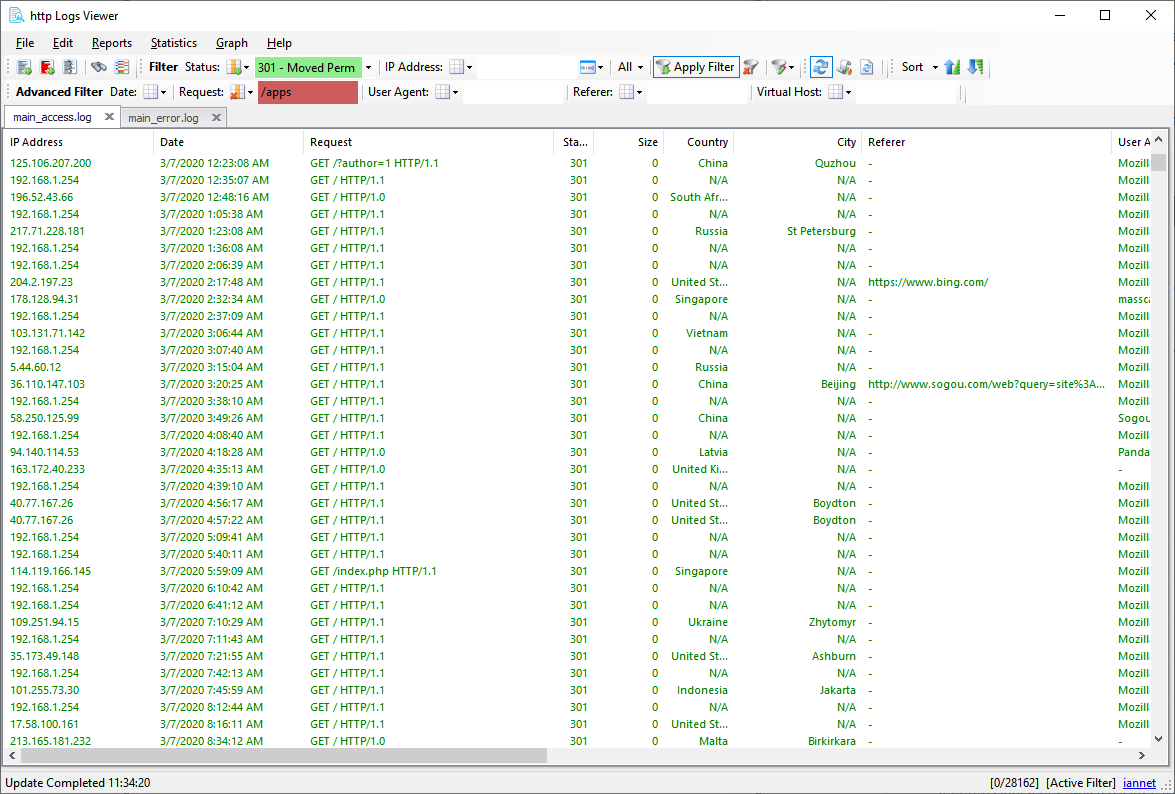
LESS SCROLLING. MORE UNDERSTANDING.
Get to the requests
that matter.
01 / INVESTIGATE
Find the source of an error
Filter by status code, request, date, IP address, referrer, or user agent. Include and exclude matches to narrow down the problem.
02 / UNDERSTAND
See who’s visiting
Explore countries, browsers, operating systems, traffic sources, and bot activity using the information in your logs.
03 / MONITOR
Keep an eye on your server
Automatically refresh local logs or monitor remote files over FTP/SFTP. Review multiple logs and compressed .gz files.
MAKE THE PATTERNS VISIBLE
From log lines
to the bigger picture.
Over 75 predefined reports help you explore traffic, bandwidth, status codes, and visitor behaviour. Turn filtered requests into charts and statistics you can use.
See reporting features ↗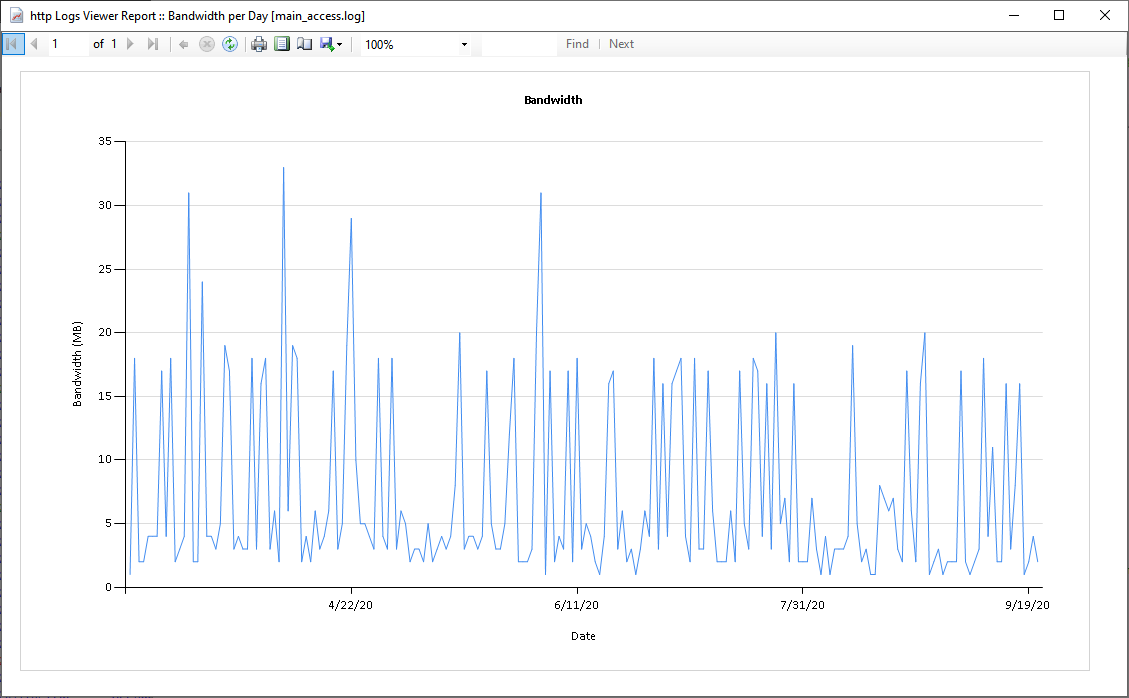
Example report from the application
START FREE. GO FURTHER WHEN YOU NEED TO.
A useful tool.
A straightforward upgrade.
Use http Logs Viewer free for unlimited use. Purchase a licence to unlock additional capabilities, including advanced filtering, graphical reports, and statistics.
FREE VERSION
€0
Open and inspect your web server logs. Start with the free features and explore the application at your own pace.
Download freeINDIVIDUAL LICENCE
€20
Unlock the full set of features with a personal unlock code. Includes available updates within the purchased version.
View licence details ↗COMPANY LICENCE
€70
An unlock code for companies and corporations. Review the licence details and purchase information before ordering.
View company licence ↗Welcome
http Logs Viewer (formerly Apache Logs Viewer) is a free and powerful tool which lets you monitor , view and analyze Apache/IIS/nginx logs with more ease. It offers search and filter functionality for the log file, highlighting the various http requests based on their status code. There is also a report facility, thus you can generate a pie/bar chart in seconds. Together with this there are also statistics where you can get the top hits, top errors, number of status codes, total bandwidth and more.
Open web server logs
With http logs viewer you can easily filter and analyze Apache/IIS/nginx log files. Search and filter functionality are built in. Custom log formats are also supported.
Generate graphical reports
http Logs Viewer has over 75 pre defined reports to enable you to quickly extract the information that you require from your log file.
Add Geographical data
http Logs Viewer automatically adds country information to your log file enabling you to easily track the location of your visitors.
Understand your visitors
Understand who your visitors are and what they are using such as Browser, Operating System, Mobile device etc
Dark Theme available
Dark Theme is available on the unlocked version of http Logs Viewer, helping you save eye strain by having less brightness.
Analyse Logs
With http Logs Viewer you can easily use it to analyze log files and filter based on complex requirements that you have to understand more clearly the meaning of your log files. Log formats supported include:
Features
Reports
Get visual representation (pie/column charts) to visually illustrate the data in the log files.
Search and Filter
Understand the referrers linking to your website and any search terms used.
http Logs Viewer is a great tool to use for web analytics. Use it to get your website more productive , detect errors to fix them and much more.
There’s a story
in every log file.
Open yours and see what you’ve been missing.
Windows desktop application
Requires Microsoft .NET Framework 4.5+
http Logs Viewer
Understand your server logs.
Built by iannet in Malta.
Product
Learn
Support
© 2026 iannet. All rights reserved. Formerly Apache Logs Viewer.